


Sarah from Titan Power Plus5 min read

The short answer
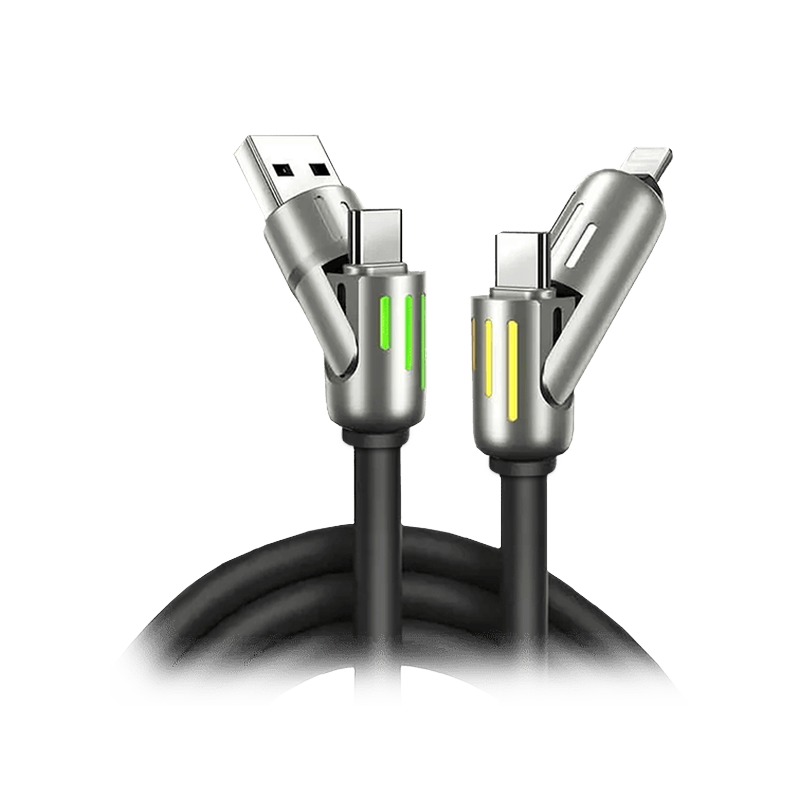
USB-C is the smaller, reversible plug with Power Delivery up to 240W, while USB-A inserts one way, so choose USB-C wherever your charger and device have the port1,2,3,4,5. A USB-A charger still works through a USB-A to USB-C cable, at Type-A-level performance in EcoFlow's guide6. Titan Smart Cable PRO supports up to 100W on USB-C PD7.
Key takeaways
- USB-C Power Delivery reaches up to 240W in both EcoFlow's guide and Belkin's page5,8.
- USB-A power figures differ by guide, from 4.5W in SC&T's guide9 to up to 15W with USB 3.0 or USB 3.1 in Anker's guide10.
- A USB-A to USB-C cable gives Type-A-level performance, according to EcoFlow's guide6.
- USB-C plugs in either way, while USB-A inserts in one orientation, according to EcoFlow's guide1,2.
- Warranties on the cable sheet run from 12 months11 to 2 years12,13,14.
How much power does each connector carry?
USB-A power figures depend on which guide you read. SC&T's guide says USB-A generally supports a 4.5W charging capacity9. EcoFlow's guide says USB-A typically delivers 2.5W to 12W15. Anker's guide gives around 2.5W for USB 2.016 and up to 15W with USB 3.0 or USB 3.110. SC&T's guide also says Quick Charge QC 1.0 through QC 4+ can support up to 18.5W17.
USB-C power figures vary from guide to guide as well. Anker's guide says USB-C can deliver up to 100 watts of power with USB-PD18. EcoFlow's guide says USB Power Delivery can deliver up to 240W8. Belkin's page says USB-C can support Power Delivery up to 240W (48V/5A)5. The table “USB-A vs USB-C: what each guide states” sets these figures side by side, each with its source.
EcoFlow's guide says that with an adapter or a USB-A to USB-C cable you only get Type-A-level performance6. A USB-A to USB-C cable therefore charges at the USB-A figures above, not the Power Delivery figures, by EcoFlow's reading6.
| Attribute | USB-A | USB-C |
|---|---|---|
| Connector size | approximately 12mm x 4.5mm | about 8.4mm x 2.6mm |
| Orientation | only inserts in one orientation | reversible |
| Data speed stated | see source | see source |
| USB 4.0 | not stated | the sole interface supporting USB 4.0 (SC&T) |
| Charging power stated | see source | see source |
| Direct video | not supported via DP Alt Mode | DP Alt Mode |
| Mixing via adapter | Type-A-level performance | Type-A-level performance |

How fast does each connector move data?
USB-A speed figures also differ between guides. VisionTek's guide says USB-A tops out around 5 Gbps with USB 3.2 Gen 119. Anker's guide says USB 3.2 Type-A ports offer speeds up to 20 Gbps22. VisionTek's guide says USB-C can deliver up to 40 Gbps using USB4 or Thunderbolt23. Belkin's page says USB-C supports data transfer speeds of up to 80 Gbps24. SC&T's guide says USB-C is the sole interface supporting USB 4.020.
Two cables on the sheet list a maker-stated data speed. UGREEN's spec sheet lists a data transfer rate of 0.48 Gigabits Per Second for its USB C to USB C 100W Fast Cable25. Titan lists USB 3.1 data transfer at 10 Gbps for the Titan Smart Cable PRO26. Anker's guide gives USB 2.0 a transfer speed of up to 480 Mbps, as a reference point27.
| Cable | Connectors | Max charging | Data speed | Video output | Durability | Warranty | Price |
|---|---|---|---|---|---|---|---|
| Anker 333 USB-C to USB-C Cable (3.3ft Nylon) | USB-C to USB-C | 100W | not stated | does not support video output | 5,000 bends | 12-month warranty | not stated |
| UGREEN USB C to USB C 100W Fast Cable | USB C to USB C | 100W | 0.48 Gigabits Per Second | not stated | not stated | 2-Year Product Warranty | not stated |
Which connector is easier to plug in, and how big is each?
USB-C is reversible and can plug in either way, according to EcoFlow's guide2. EcoFlow's guide says USB-A only inserts in one orientation1. Anker's guide says the USB-A connector measures approximately 12mm x 4.5mm3. Anker's guide says USB-C has an oval-shaped design measuring about 8.4mm x 2.6mm4. SC&T's guide says only USB-C offers direct video transmission through DP Alt Mode, and USB-A does not support it21.

How do real cables compare on one sheet?
The table “Charging cables on one sheet: maker-stated specs and the price on the maker's own page” holds four cables to the same rows. Anker's store page says the Anker 333 USB-C to USB-C Cable (3.3ft Nylon) supports charging of up to 100W with a compatible charger28. Anker's store page also says the Anker 333 cable does not support video output31. UGREEN says its USB C to USB C 100W Fast Cable supports PD3.0 and QC3.0 fast charging at 100W30. UGREEN also says the cable fully charges a MacBook Pro 16" in 90 minutes32.
Titan Smart Cable PRO supports up to 100W charging on USB-C PD, as Titan states it7. Titan's page says the cable charges 50% in 20 minutes33. The 240W PrismCore Cable™ supports up to 240W, according to Titan34. Titan's PrismCore page states 240W charging, 50% in 10 minutes35. The 240W PrismCore Cable™ price at titanpowerplus.com is $28.0536.
How long do the warranties and bend ratings run?
Warranty terms differ across the four cables. Anker's store page lists a 12-month warranty with the Anker 333 cable11. UGREEN's page lists a 2-Year Product Warranty12. Titan lists a 2-Year Limited Warranty for the Titan Smart Cable PRO13. Titan's PrismCore page says the 240W PrismCore Cable™ is backed by a 2-year warranty14.
Bend ratings are maker-stated, and not every maker on the sheet gives one. Anker's store page says the Anker 333 cable has a lifespan of 5,000 bends29. Titan lists a 300,000+ bend lifespan for the Titan Smart Cable PRO37. Titan says the 240W PrismCore Cable™ handles over 100,000 bends without breaking38.
Products in this guide
$28.05 Price read 3 November 2026, 19:03 EST [36]
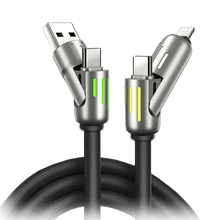
View the 240W PrismCore Cable
Common questions
Can a USB-A charger still charge a USB-C phone?
A USB-A charger charges a USB-C phone through a USB-A to USB-C cable, at Type-A-level performance in EcoFlow's guide6. Titan Smart Cable PRO supports up to 100W charging on USB-C PD, as Titan states it7.
Does every USB-C cable carry video?
Not every USB-C cable carries video. SC&T's guide says only USB-C offers direct video through DP Alt Mode21. Anker's store page says the Anker 333 cable does not support video output31. The Titan Smart Cable PRO page is the place to check video support.
Is USB-C faster than USB-A for data?
USB-C carries the higher top figures in these guides, up to 40 Gbps23 or 80 Gbps24, against 5 Gbps19 or 20 Gbps22 for USB-A. Titan Smart Cable PRO lists USB 3.1 data transfer at 10 Gbps26.
See the Titan Smart Cable PRO page to check its full specs against your charger and devices.
View the Titan Smart CableHow we made this guide
- Who: Titan Power Plus.
- How: we read 38 sources, the latest on 4 November 2026, and every price, date and figure here is traced to one of them below. The guide was drafted with AI tools.
- Why: to answer “USB-A or USB-C: what is the difference, and which should you choose?” before you buy.
Sources (38)
- EcoFlow's guide says USB-A only inserts in one orientation. · ecoflow.com/us/blog/usb-a-vs-usb-c-whats-the-difference · read
- EcoFlow's guide says USB-C is reversible and can plug in either way. · ecoflow.com/us/blog/usb-a-vs-usb-c-whats-the-difference · read
- Anker's guide says the USB-A connector measures approximately 12mm x 4.5mm. · anker.com/blogs/cables/usb-a-vs-usb-c · read
- Anker's guide says USB-C has an oval-shaped design measuring about 8.4mm x 2.6mm. · anker.com/blogs/cables/usb-a-vs-usb-c · read
- Belkin's page says USB-C can support Power Delivery up to 240W (48V/5A). · belkin.com/products/product-resources/usb-c · read
- EcoFlow's guide says that with an adapter or a USB-A to USB-C cable you only get Type-A-level performance. · ecoflow.com/us/blog/usb-a-vs-usb-c-whats-the-difference · read
- Titan Power Plus Titan Smart Cable™ PRO: Titan says the Smart Cable Pro supports up to 100W charging on USB-C PD. · titanpowerplus.com/products/cable-pro · read
- EcoFlow's guide says USB Power Delivery can deliver up to 240w. · ecoflow.com/us/blog/usb-a-vs-usb-c-whats-the-difference · read
- USB-IF USB-A: SC&T's guide says USB-A generally supports a 4.5W charging capacity. · sct.com.tw/articles/usb-a-vs-usb-b-vs-usb-c-whats-the-difference-usb-types-comparison · read
- Anker's guide says USB-A offers up to 15 watts with USB 3.0 or USB 3.1. · anker.com/blogs/cables/usb-a-vs-usb-c · read
- Anker's store page lists a 12-month warranty with the cable. · store.anker.com/ae/products/b8756-anker-usb-c-to-usb-c-cable · read
- UGREEN's page lists a 2-Year Product Warranty. · us.ugreen.com/products/ugreen-usb-c-to-usb-c-cable-3ft-6ft-10ft · read
- Titan Power Plus Titan Smart Cable™ PRO: Titan lists a 2-Year Limited Warranty for the Smart Cable Pro. · titanpowerplus.com/products/cable-pro · read
- Titan Power Plus 240W PrismCore Cable™: Titan's PrismCore page says the product is backed by a 2-year warranty. · titanpowerplus.com/products/prismcore · read
- EcoFlow's guide says USB-A typically delivers 2.5w to 12w. · ecoflow.com/us/blog/usb-a-vs-usb-c-whats-the-difference · read
- Anker's guide says USB-A connectors generally offer around 2.5 watts for USB 2.0. · anker.com/blogs/cables/usb-a-vs-usb-c · read
- Quick Charge QC 1.0 through QC 4+: SC&T's guide says Quick Charge technologies QC 1.0 through QC 4+ can support up to 18.5W. · sct.com.tw/articles/usb-a-vs-usb-b-vs-usb-c-whats-the-difference-usb-types-comparison · read
- Anker's guide says USB-C can deliver up to 100 watts of power with USB-PD. · anker.com/blogs/cables/usb-a-vs-usb-c · read
- VisionTek's guide says USB-A tops out around 5 Gbps with USB 3.2 Gen 1. · visiontek.com/blogs/blog/why-is-usb-c-better-than-usb-a · read
- USB-IF USB 4.0: SC&T's guide says USB-C is the sole interface supporting USB 4.0. · sct.com.tw/articles/usb-a-vs-usb-b-vs-usb-c-whats-the-difference-usb-types-comparison · read
- USB-IF USB-C: SC&T's guide says only USB-C offers direct video transmission through DP Alt Mode, and USB-A and USB-B do not support this feature. · sct.com.tw/articles/usb-a-vs-usb-b-vs-usb-c-whats-the-difference-usb-types-comparison · read
- Anker's guide says USB 3.2 Type-A ports offer speeds up to 20 Gbps. · anker.com/blogs/cables/usb-a-vs-usb-c · read
- VisionTek's guide says USB-C can deliver up to 40 Gbps using USB4 or Thunderbolt. · visiontek.com/blogs/blog/why-is-usb-c-better-than-usb-a · read
- Belkin's page says USB-C supports data transfer speeds of up to 80 Gbps. · belkin.com/products/product-resources/usb-c · read
- UGREEN's spec sheet lists a data transfer rate of 0.48 Gigabits Per Second. · us.ugreen.com/products/ugreen-usb-c-to-usb-c-cable-3ft-6ft-10ft · read
- Titan Power Plus Titan Smart Cable™ PRO: Titan lists USB 3.1 data transfer at 10 Gbps for the Smart Cable Pro. · titanpowerplus.com/products/cable-pro · read
- Anker's guide says USB 2.0 has a transfer speed of up to 480 Mbps. · anker.com/blogs/cables/usb-a-vs-usb-c · read
- Anker's store page says its USB-C to USB-C cable supports charging of up to 100W with a compatible charger. · store.anker.com/ae/products/b8756-anker-usb-c-to-usb-c-cable · read
- Anker's store page says the cable has a lifespan of 5,000 bends. · store.anker.com/ae/products/b8756-anker-usb-c-to-usb-c-cable · read
- UGREEN says the cable supports PD3.0 and QC3.0 fast charging at 100W. · us.ugreen.com/products/ugreen-usb-c-to-usb-c-cable-3ft-6ft-10ft · read
- Anker's store page says the cable does not support video output. · store.anker.com/ae/products/b8756-anker-usb-c-to-usb-c-cable · read
- UGREEN says the cable fully charges a MacBook Pro 16" in just 90mins. · us.ugreen.com/products/ugreen-usb-c-to-usb-c-cable-3ft-6ft-10ft · read
- Titan Power Plus Titan Smart Cable™ PRO: Titan's Smart Cable Pro page says it charges 50% in just 20 minutes. · titanpowerplus.com/products/cable-pro · read
- Titan Power Plus 240W PrismCore Cable™: Titan says the PrismCore cable supports up to 240W. · titanpowerplus.com/products/prismcore · read
- Titan Power Plus 240W PrismCore Cable™: Titan's PrismCore page states 240W charging, 50% in 10 minutes. · titanpowerplus.com/products/prismcore · read
- 240W PrismCore Cable™ price at titanpowerplus.com · titanpowerplus.com/products/prismcore · read
- Titan Power Plus Titan Smart Cable™ PRO: Titan lists a 300,000+ bend lifespan for the Smart Cable Pro. · titanpowerplus.com/products/cable-pro · read
- Titan Power Plus 240W PrismCore Cable™: Titan says the PrismCore cable handles over 100,000 bends without breaking. · titanpowerplus.com/products/prismcore · read

